
The Speed Scanner
The Control Panel
System maintenance
Typical applications
Appendix
The features of the medAspis Speed Scanner
FMD scanning with the medAspis Speed Scanner
First, select the required FMD operation from the FMD menu on the medAspis Speed Scanner. If no selection is made, the default operation is ‘verify’.

When the laser scanner is activated, 2D matrix codes can be scanned; these are then transmitted to the NMVS along with the selected FMD operation. The data processed by the NMVS is formatted and displayed on the screen.
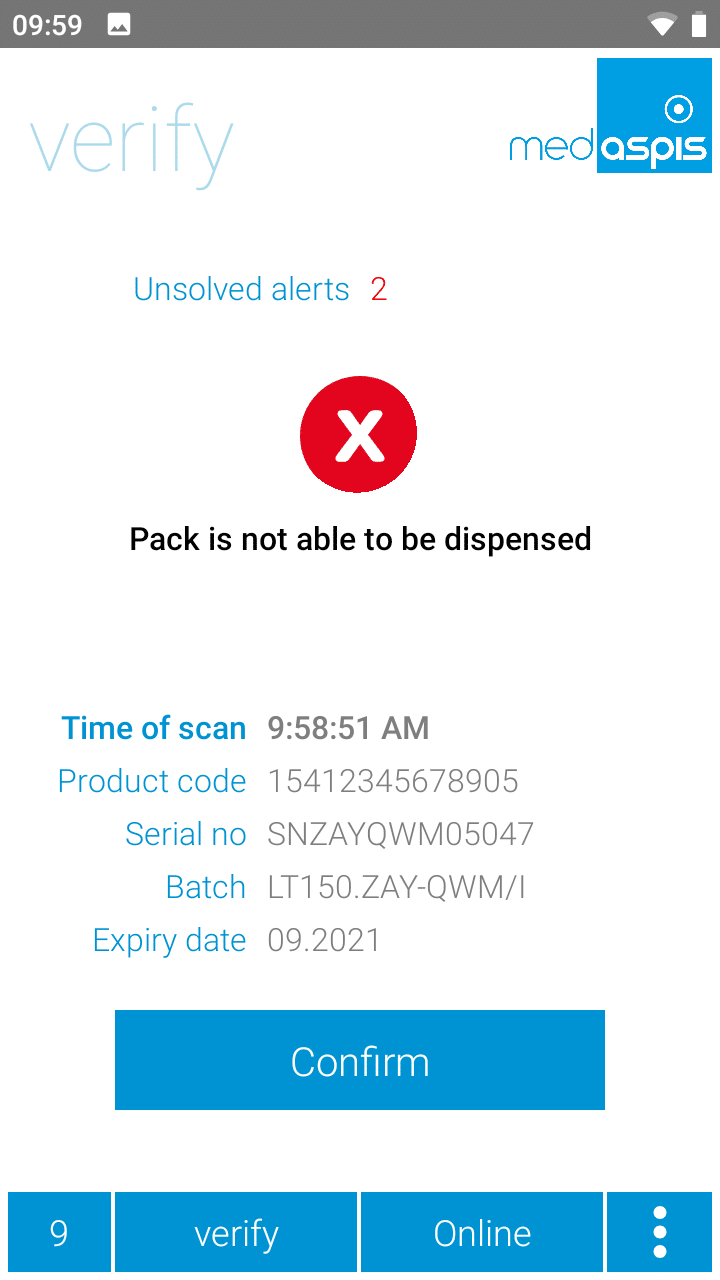
If the result is positive, the next code is scanned automatically. If the result is negative, the laser scanner stops automatically and the operator must acknowledge the alarm displayed on the medAspis Speed Scanner’s screen. If the code read is not recognised as a 2D matrix code in GS1 or PPN encoding (available only in Germany), the scanning process is aborted and the message ‘No FMD’ is displayed.
Both the data set read from the 2D matrix code (product code, serial number, expiry date, batch number) and the data set returned by the NMVS are stored in full within the Lean FMD System’s data structure. The result is analysed and interpreted. The corresponding result is displayed on the medAspis Speed Scanner’s screen and saved in the scan history.

The data can be further processed in the Control Panel. The most important function is the display of scan data. This data can be filtered and exported in almost any way.
Scan Accelerator
Under certain circumstances, the medAspis Speed Scanner may be able to scan faster than the NMVS can process the codes. As the NMVS can only ever process all requests strictly sequentially, one after the other, the data from the scanning process is initially placed in a queue, from where it is then fed to the NMVS for processing. This procedure ensures that the operator can scan as quickly as they wish and that all packs are reliably processed by the NMVS.
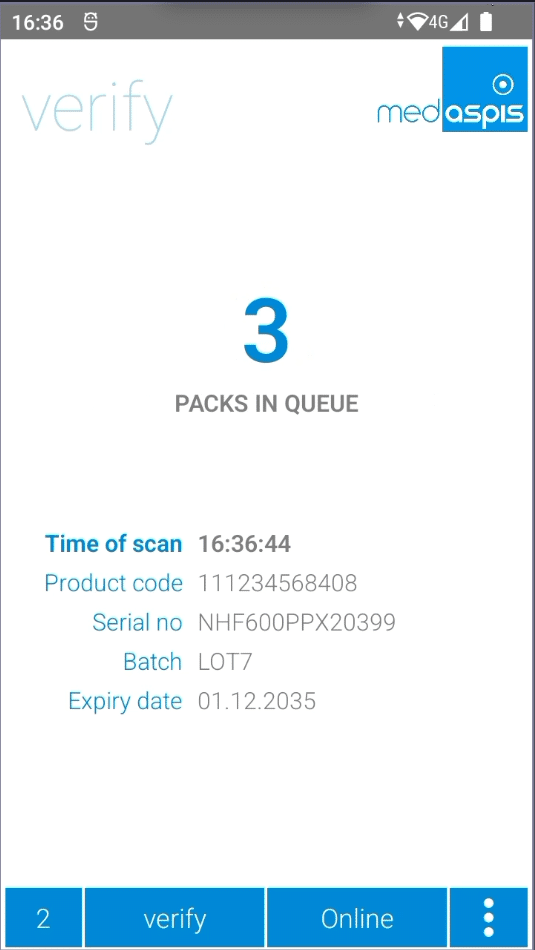
The number of records in the queue is displayed on the medAspis Speed Scanner’s screen. When scanning at high speed and with a slow NMVS, provided there are no technical faults, up to 5 packs can be expected to be in the queue.
Offline Mode
Should the internet connection between the medAspis Speed Scanner and the medAspis Lean FMD system fail, Lean FMD operations cannot continue uninterrupted. This is because the scanned codes cannot be forwarded immediately to the NMVS for verification. Nevertheless, the medAspis Speed Scanner remains operational, so work does not need to be interrupted. All codes captured during the offline phase are saved within the medAspis Speed Scanner itself; under no circumstances will any data records be lost. The number of codes captured during this phase is displayed in yellow in the bottom bar.
However, operational functionality is limited. As there is no internet access, the data cannot be transmitted to the relevant NMVS via the Lean FMD system. No scan results are displayed in real time.
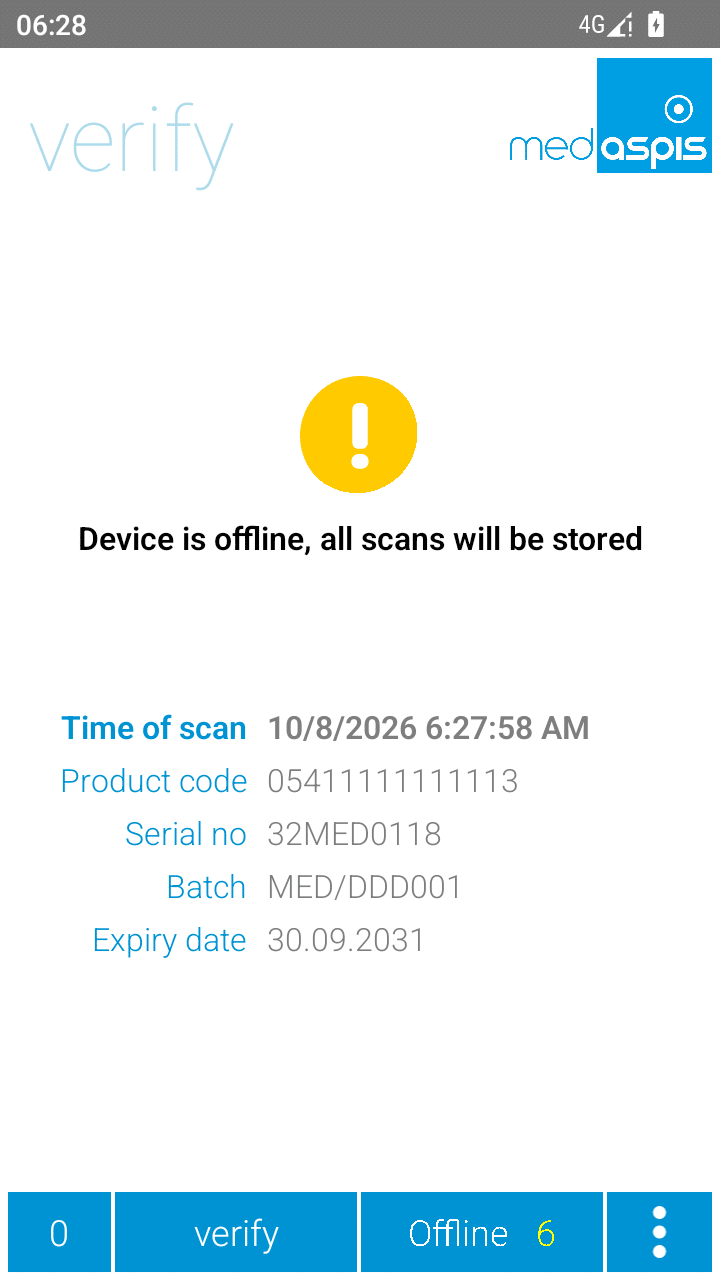
As soon as the internet connection is re-established, all data records captured and cached in the medAspis Speed Scanner will be transferred to the Lean FMD system. Depending on the volume of data, this may take a while.
Please note: Once the data has been transferred to the Scan History, it is not automatically forwarded to the NMVS. The NMVS check of the offline scans must be carried out manually in the Control Panel.
Batch Control
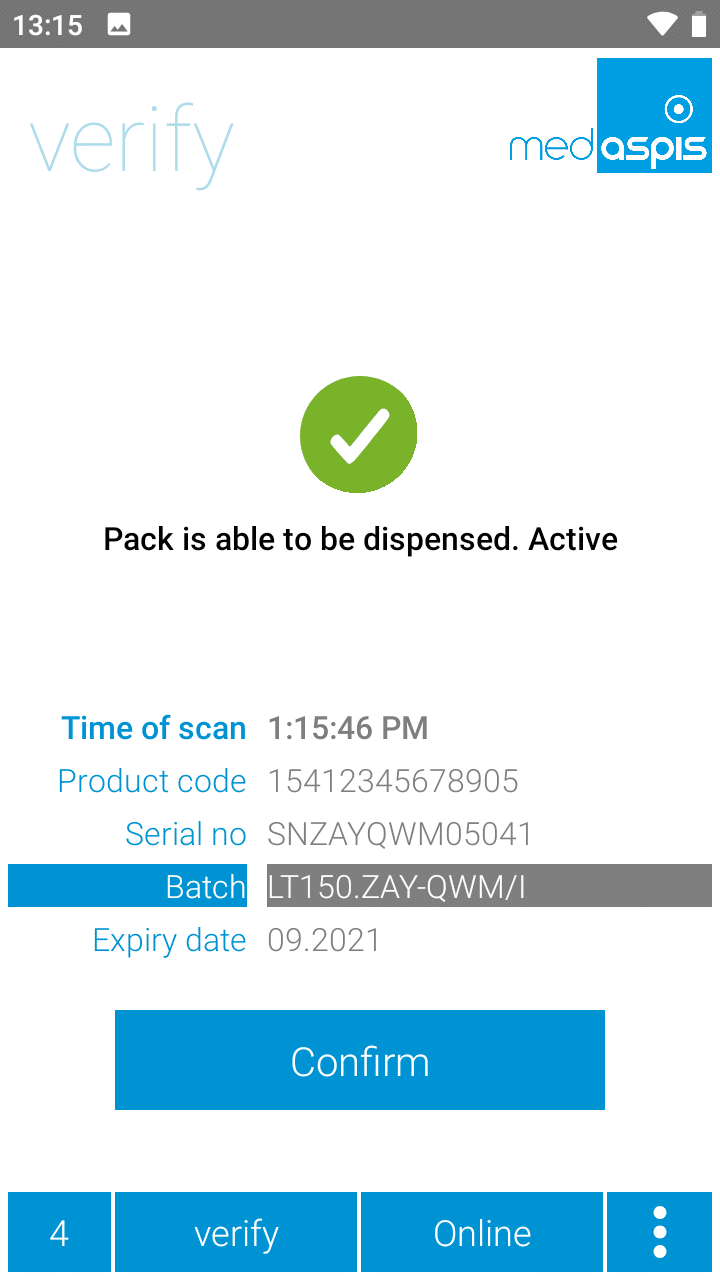
The Batch Control function issues a warning if a batch or product code is scanned that differs from a reference pack. The reference pack is determined by the first scan following a reset of the counter, as shown in the bottom left-hand corner of the medAspis Speed Scanner screen.
The Batch Control option can be enabled in the settings of the medAspis Speed Scanner.
Pure data capturing
Packs can also be recorded without the data records being automatically forwarded to the relevant NMVS. To make this status clearer, the icon is displayed in blue.
Data capture only can be configured in the scanner profiles in the Control Panel.

Scanning Crypto Codes
As well as processing European FMD codes, the medAspis Speed Scanner is also capable of reading Crypto codes. These Crypto codes are commonly used in the Russian-speaking world; countries such as Kazakhstan also use this type of code.
The medAspis Lean FMD system cannot verify Crypto Codes; it can only read them.
Unsolved Alert List
Every error message is stored in the ‘Unsolved Alerts’ list on the FMD Speed Scanner. You can access the list by clicking on the text above the error icon.
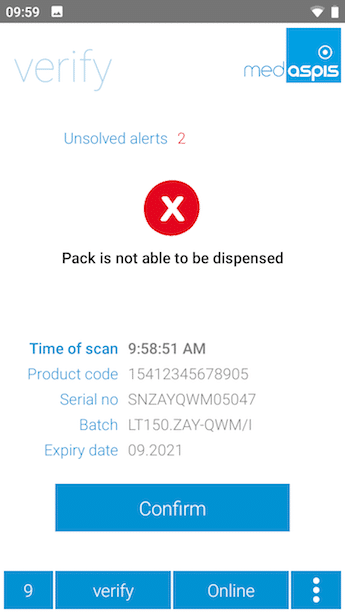

This list displays the key information for each error message in a list view. The entries include the scan date, the relevant error message and the corresponding content of the 2D matrix code (product code, serial number, batch number and expiry date).
The list can be deleted by clicking the confirmation button.
The Safe Dispense function
Sometimes packs are supposed to be deactivated and – surprise, surprise – the pack had already been deactivated. This double deactivation raises suspicions of counterfeiting.
To prevent such a situation – which can occur, for example, during returns processing – the Safe Dispense function is being introduced.
When this function is enabled, the actual deactivation requested is first preceded by an automatic verification check. If the pack is active, it is then deactivated as requested. However, if the pack was already deactivated, the function stops after the verification and does not deactivate the pack, as it has already been recognised as deactivated.
Confirm Verification Errors
As soon as the scanner detects an error, the laser switches off and the error message on the display must be acknowledged by pressing a button.
There are situations in which this procedure is cumbersome and slows down your workflow. Alternatively, you can disable this verification prompt using a toggle switch in the Speed Scanner settings.
