
The Speed Scanner
The Control Panel
System maintenance
Typical applications
Appendix
Typical applications of the Lean FMD system
This chapter outlines typical workflows using the Lean FMD system. If your workflow is not included in this list, please contact our support team. We can also assist you with your specific requirements.
Verify or deactivate medicinal product packs using the Lean FMD system
The Falsified Medicines Directive (FMD) requires the verification of medicinal product packaging at various points along the pharmaceutical supply chain.
In the vast majority of cases, it is virtually impossible for counterfeit medicines to enter your own logistics chain. medAspis Lean FMD has been developed precisely for such situations: to carry out all the required checks as quickly as possible, whilst remaining vigilant in case a counterfeit product does happen to turn up.
Typical activities include verification upon receipt of goods and deactivation at the wholesale stage in accordance with Section 23 of the Delegated Regulation. Both functions can be carried out quickly using the medAspis Speed Scanner. Verification is already set as the default in the FMD menu of the medAspis Speed Scanner. If deactivation is required, the relevant FMD function must be selected in the FMD menu of the medAspis Speed Scanner.
Das Ergebnis ist in der Regel positiv, die Packung ist aktiv oder wird mit einer der Deaktivierungs-Funktionen deaktiviert. In beiden Fällen erscheint ein grüner Haken im Display, der medAspis Speed Scanner ist sofort bereit für den nächsten Scan.The result is usually positive; the pack is active or is deactivated using one of the deactivation functions. In both cases, a green tick appears on the display, and the medAspis Speed Scanner is immediately ready for the next scan.
Thanks to Scan Accelerator technology, the scanning process is quick and easy. Should an error occur, a warning message appears; the scanner stops immediately and cannot be restarted until a confirmation button has been pressed on the device’s display. This event is also recorded in the scan history.

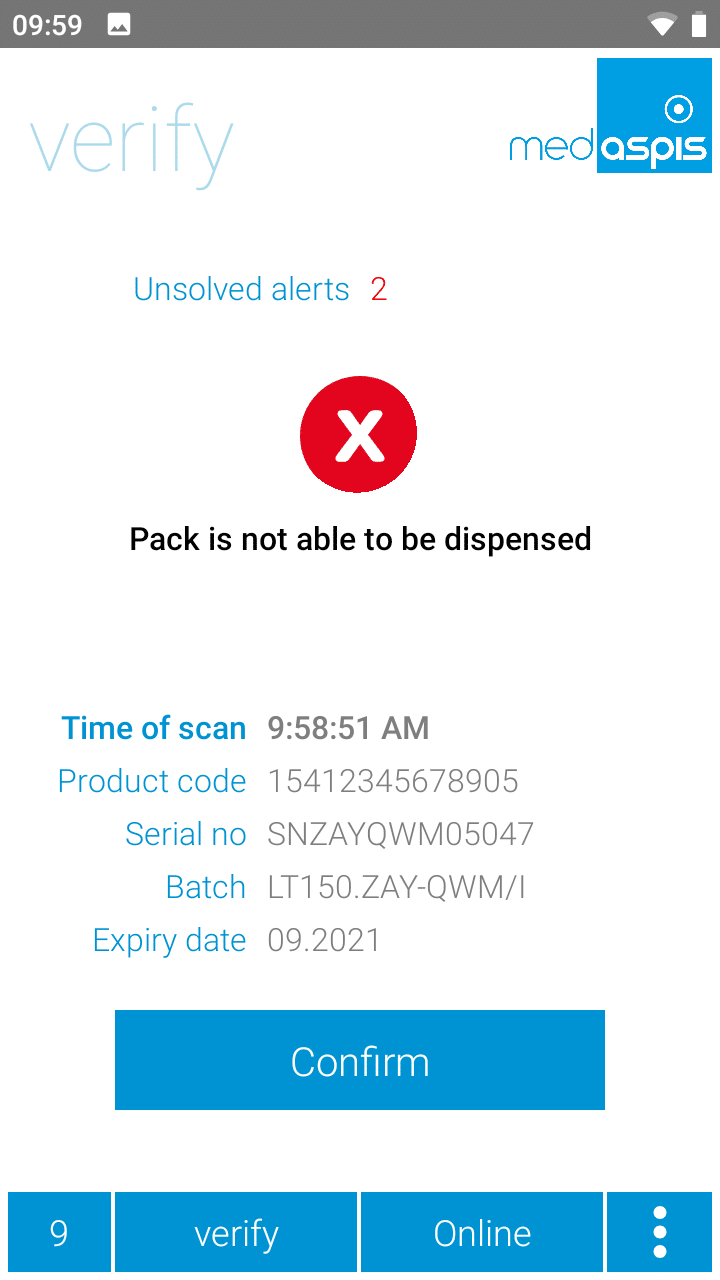
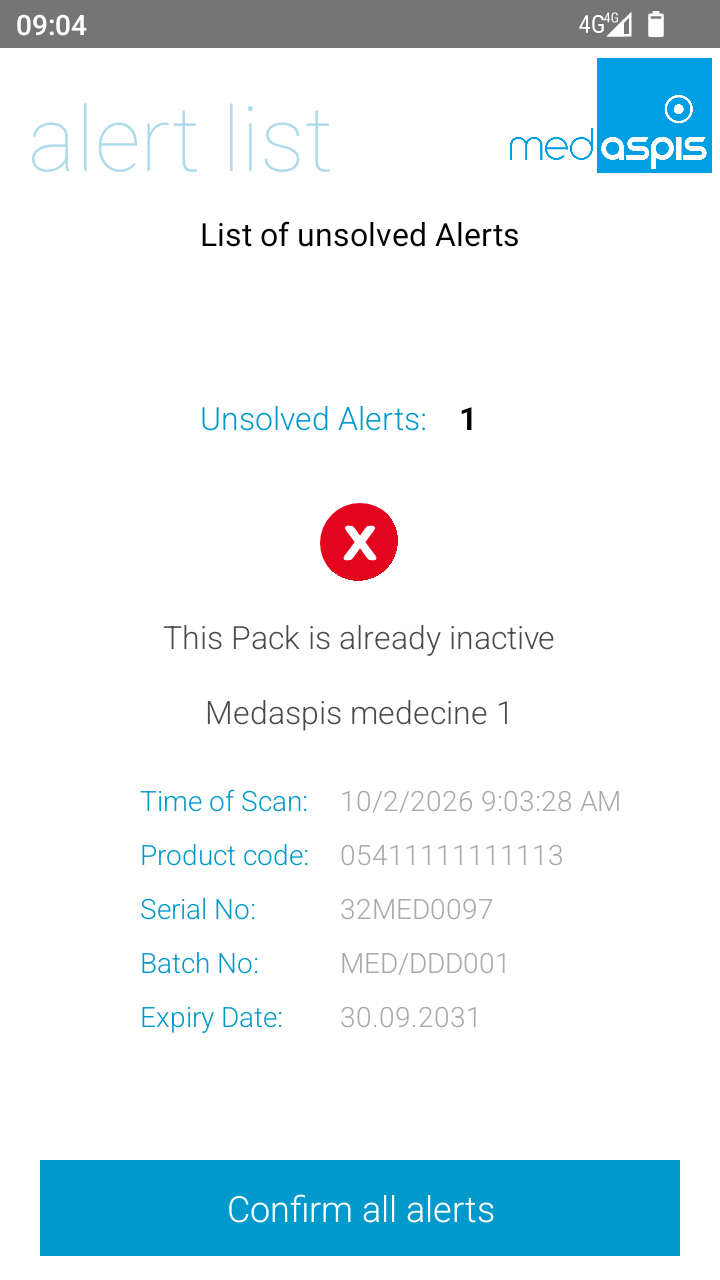
To prevent unnecessary error messages and, consequently, interruptions to the workflow, the medAspis Speed Scanner automatically detects duplicate deactivations. Deactivating a pack that is already inactive will result in an NMVS error. Such errors can occur frequently if a pack is accidentally scanned several times – whether due to carelessness or because the scanner captures 2D matrix codes so quickly that some packs are scanned multiple times even during the normal scanning process.
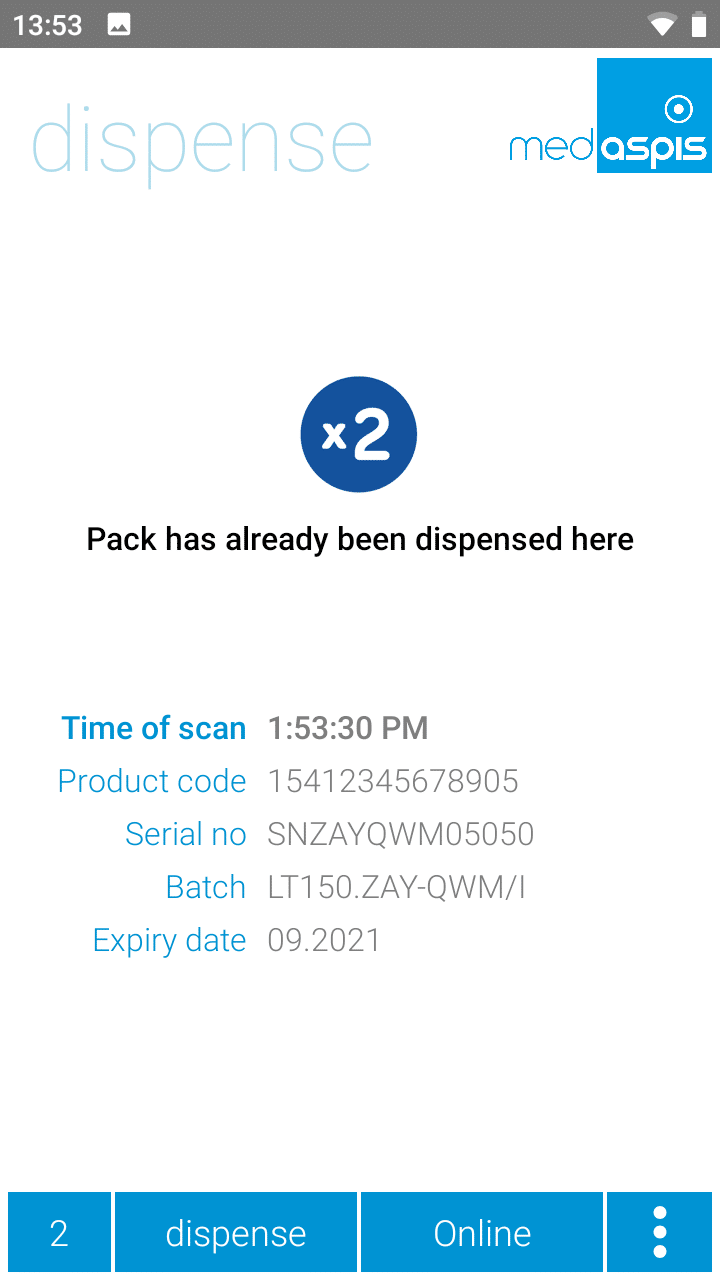
The medAspis system recognises multiple deactivations as duplicates and does not send them to the NMVS again. Instead, the result of the previous deactivation is displayed once more, but with the ‘Double Dispense’ symbol. The same entry is also displayed in the Scan History, again with the ‘Double Dispense’ symbol.
For a duplicate to be identified, the same pack must have been deactivated within the last 10 minutes using the same FMD command. When Alert Guard is enabled, this time period is extended to 2 hours.
In certain situations, the double-deactivation filter is bypassed, allowing the operation to be repeated immediately. For example, if the NMVS system is temporarily unavailable. The double-deactivation filter is also disabled for authentication operations (login, password entry, etc.).
All verified or deactivated packages will appear as an entry in the Control Panel’s Scan History after a short while. In addition to the timestamp and package details, the result of the NMVS check is also displayed. Packages that have passed the check are marked with a green tick, detected error messages with a red cross, and error confirmations with a blue information icon. The full list of icons is provided in the appendix.
In the Scan History, packs can be filtered and exported as required. The export always contains exactly those rows that were previously filtered in the Scan History. Some filters are preset, but users are free to customise these filters to suit their own needs at any time.
