
The Speed Scanner
The Control Panel
System maintenance
Typical applications
Appendix
Working with packs captured offline
For the Lean FMD system to function fully, a permanent internet connection between the medAspis Speed Scanner and the Lean FMD system is required. As a rule, all scanned data records are transferred immediately from the scanner to the Lean FMD system, where further processing takes place.
Should the internet connection fail, this processing will be disrupted. There are many reasons why a connection might be lost: the medAspis Speed Scanner or the Lean FMD System may not be working correctly, there may be a fault with the internet service provider, technical faults, or changes to the settings on the local Wi-Fi router.
Nevertheless, the medAspis Speed Scanner remains operational. Data is still being captured, and work does not need to be interrupted. All codes captured during the offline phase are saved within the medAspis Speed Scanner itself; under no circumstances will any data records be lost. The number of codes captured during this phase is displayed in yellow in the bottom bar.
However, operational functionality is limited. As there is no internet connection, data cannot be transferred to the Lean FMD system, direct processing by the relevant NMVS is not possible, and scan results cannot be displayed on the medAspis Speed Scanner’s screen.
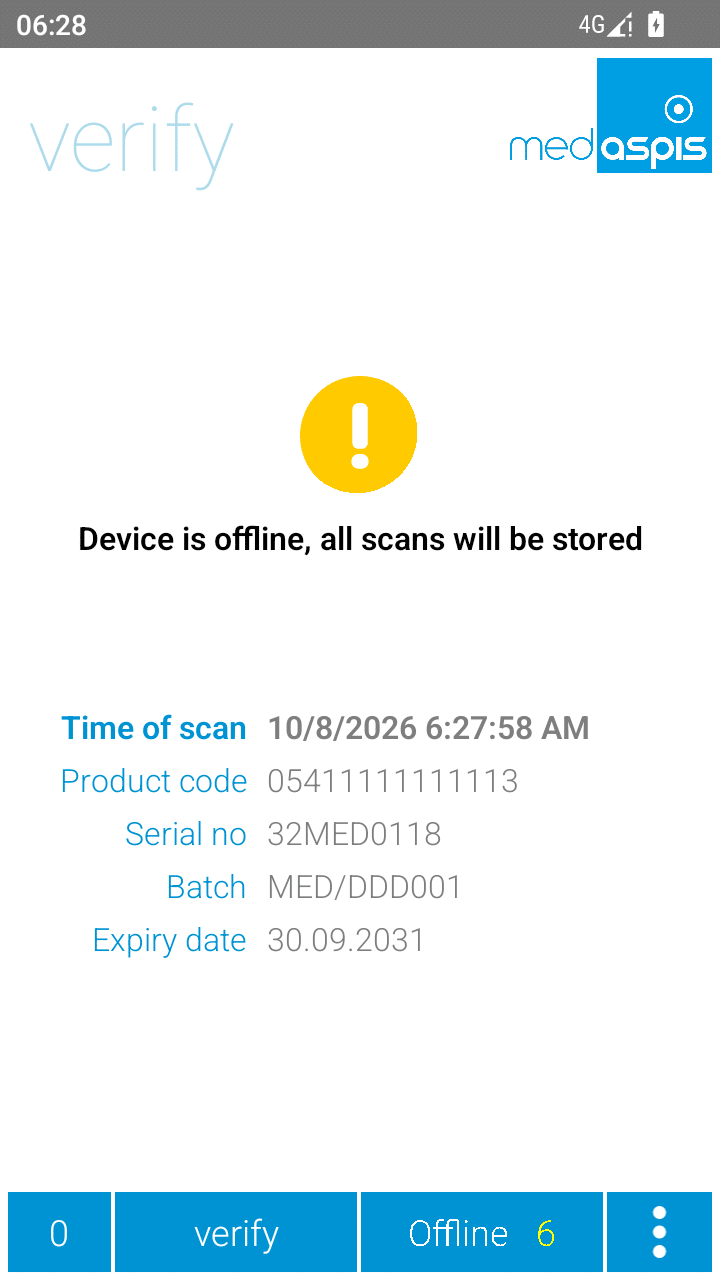
As soon as the internet connection is re-established, all data records captured and cached in the medAspis Speed Scanner will be transferred to the Lean FMD system. Depending on the volume of data, this may take a while.
PLEASE NOTE: FMD operations recorded whilst the device was offline are NOT automatically carried out by the Lean FMD system. As the Lean FMD system does not know how long the device was offline, and because a replacement scan may already have been carried out, it is up to the user to carry out the FMD operations retrospectively.
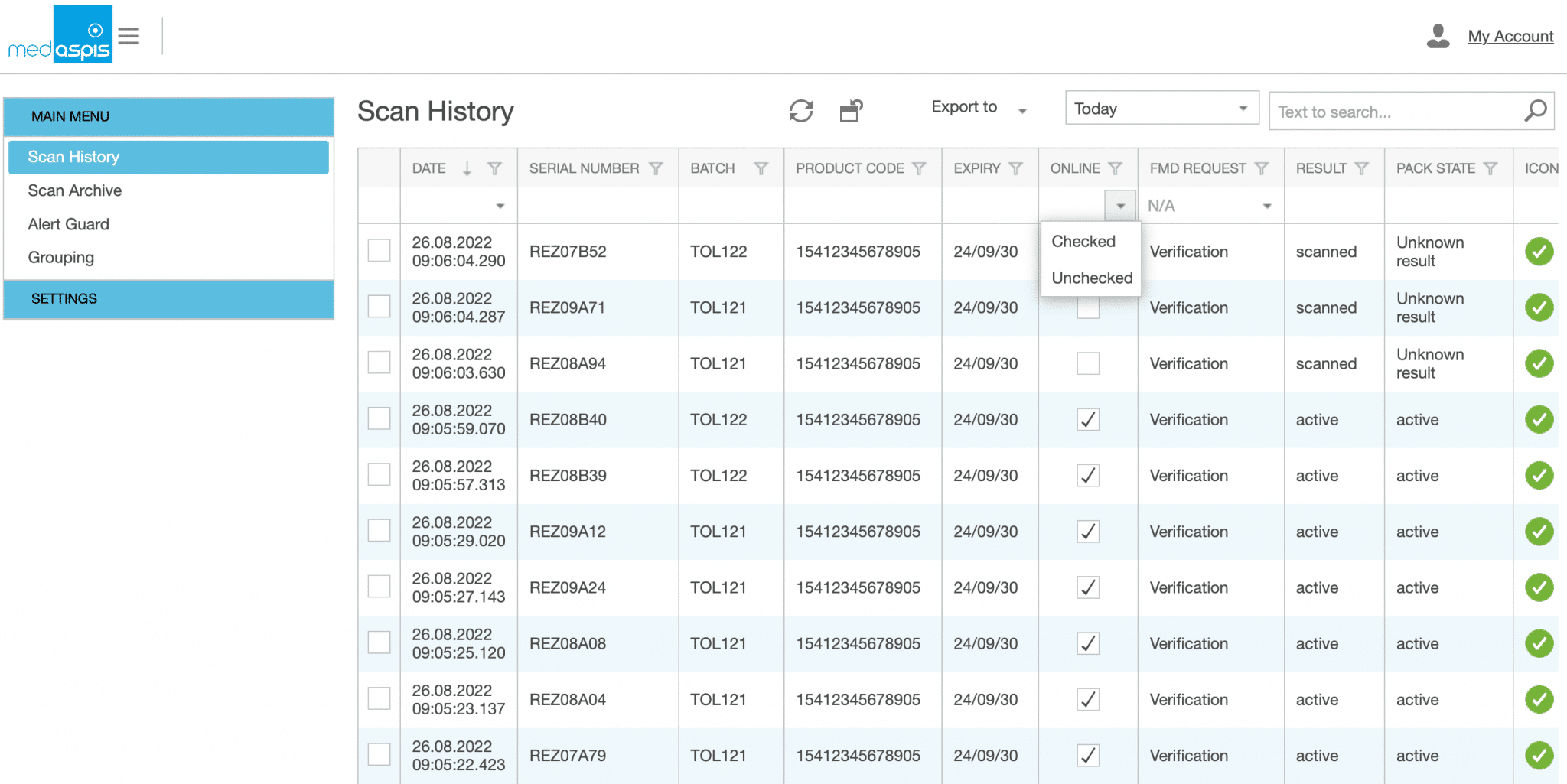
Manual intervention is required to carry out the FMD operations originally requested. The data is displayed in the Scan History and marked as ‘offline’. Using the filter function in the table column, all offline scans can be located and displayed immediately.FMD
You can create a new operator by clicking the ‘New’ button.
If you wish to send entries marked as ‘offline’ to the relevant NMVS, this must be done by scanning the pack codes again. However, the actual packs are no longer required for this. The 2D matrix codes on the medicinal product packs are reproduced in the Lean FMD system; these copies of the codes can be used for the repeat scan.
First, filter the packages marked as offline in the Scan History using the column filter in the OFFLINE column. Filter by ‘Unchecked’. You will now only see the packages registered as offline in the Scan History. You may need to apply a date or time filter to ensure that only the desired offline scans are displayed in the Scan History.

Click on the first filtered row. The detailed data for this scan will appear. Among other things, you will see a 2D matrix code. This code can be scanned using the medAspis Speed Scanner, just as if you were scanning it from the packaging. Scan this code using the desired FMD operation. The scan will create a new entry in the scan history.
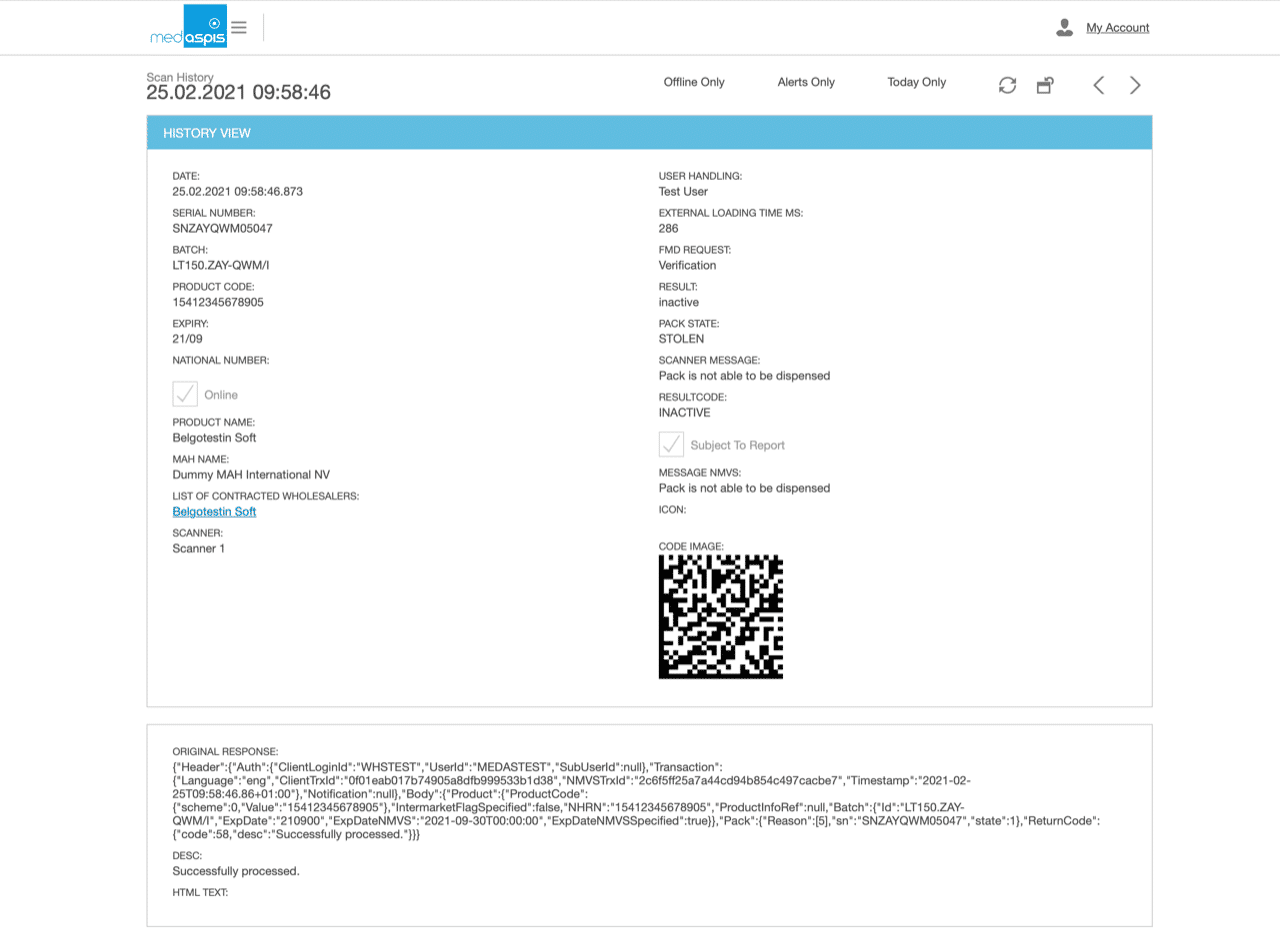
You can use the direction arrows in the top right-hand corner to jump straight to the detailed view of the next offline pack. These arrows remain active until you reach the last offline pack.
